
20251215 - Enhanced Login for Citizens Learning Center - Public
Agent Updates Bulletin


Beginning December 15, 2025, Citizens-appointed agents and credentialed agency staff can access Citizens Learning Center (CLC) after signing in to the Agents site and selecting the appropriate link on the My Systems menu. No additional sign-in will be required.
After this enhanced login update is complete, when you access CLC via a bookmark or a link to the course, you will be sent to a new sign-in screen. You will need to enter the email address and password you use to access the Agents site and PolicyCenter®. You will also need to complete multifactor authentication using a verification code.
Notes
- You must enter your email address as reflected in myAgency.
- You no longer need to use your Citizens Authentication Gateway (CAG) credentials to access Citizens’ systems.
Follow these instructions to sign in:
- When the new Sign in screen displays, enter the email address and password you use to access the Agents site and PolicyCenter.
- Users can select the eye icon in the Password field to view or hide their password text.
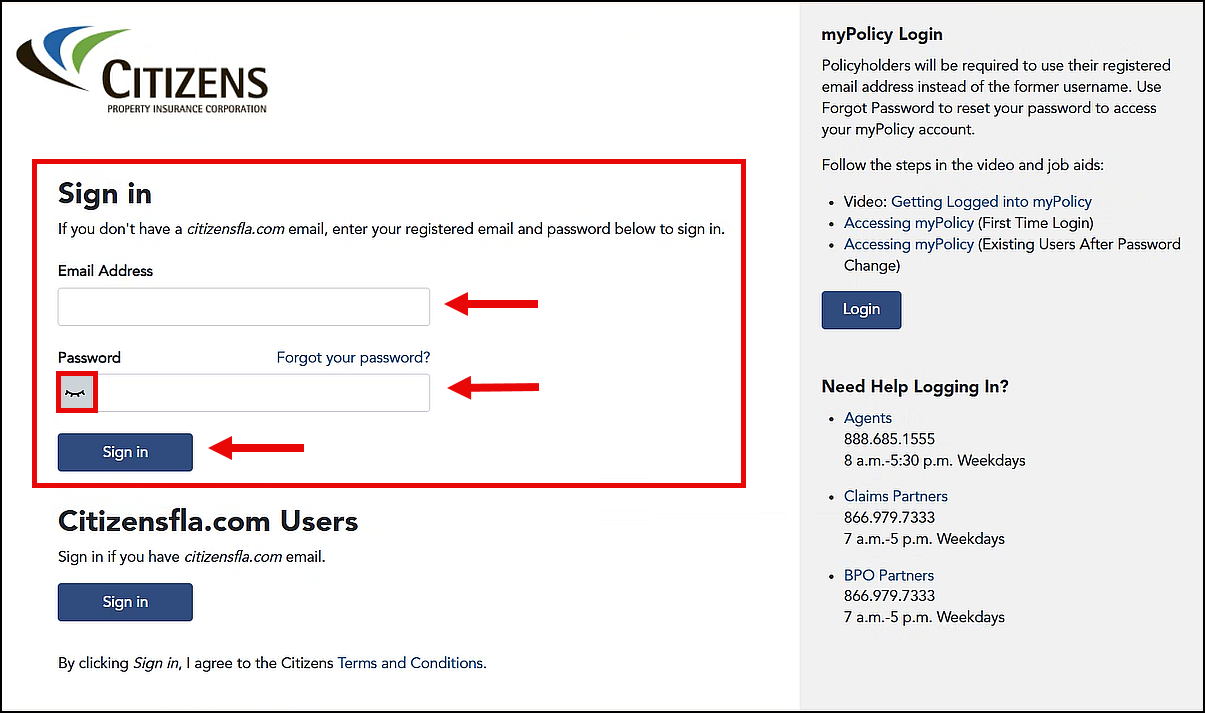
Figure 1: Email Address and Password fields, eye icon, and Sign in button on the Sign in screen
- The verification screen will display with your email address populated automatically. (You may need to click in the Email Address field first.) Select the Send verification code button:
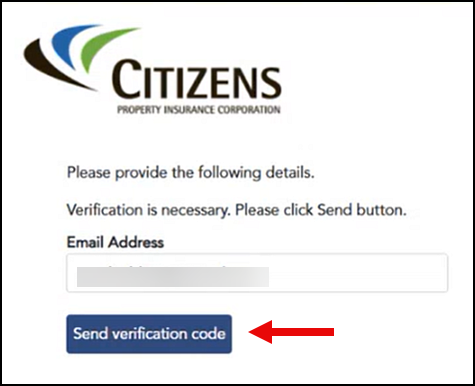
Figure 2: Email Address field and Send verification code button
- A verification code will be sent to your email. (You may need to check your spam or junk email folder.) Enter the code in the Verification code field and select Verify code.

Figure 3: Verification code email
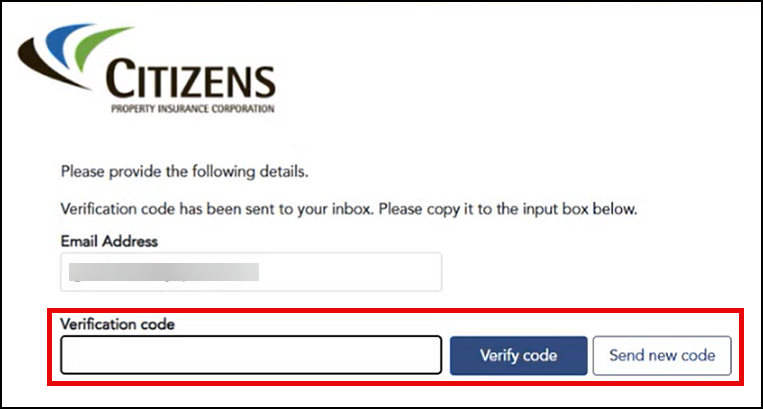
Figure 4: Verification code field and Verify code button
- Select Send new code if the verification code expires, and repeat the verification process.
- A message on the next screen confirms your email address is verified. Select Continue to complete your sign-in.
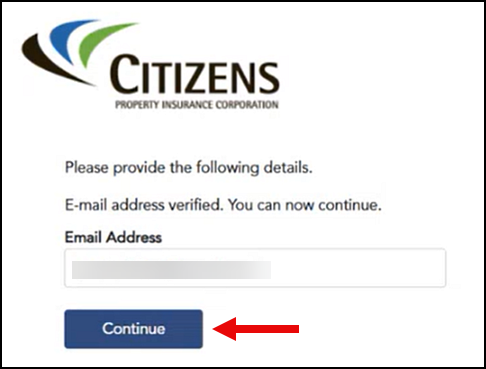
Figure 5: Continue button
Your individual transcript will be displayed once you complete the sign-in. However, users who sign in via a link may be directed to the course’s launch page upon sign-in.
If you encounter any issues, contact technical support at 888.685.1555 or email agent.outreach@citizensfla.com.
Resources
Credentialed agency users can review the following resources for more details:
- Review the MFA through External Website for Agents job aid for assistance with completing multifactor authentication to the external website.
- Review the System Access Guide for password reset assistance.